What does the class page actually say?
The sample studio sends visitors to its general calendar. In GrowthOS, an operator can read retained evidence and record that observation alongside the draft.

Inside the private preview
Before spending money on another ad, a studio wants to understand where bookings get stuck. Follow its question through the actual GrowthOS workspace.
These screens come from an isolated product run with fictional records. Use the controls below to explore the recording.
The sample studio sends visitors to its general calendar. In GrowthOS, an operator can read retained evidence and record that observation alongside the draft.
The operator saved a research draft for first-time pottery students. The saved list shows its goal, audience and observation. Reopening the record restores the draft. Changes can be saved as a new version.
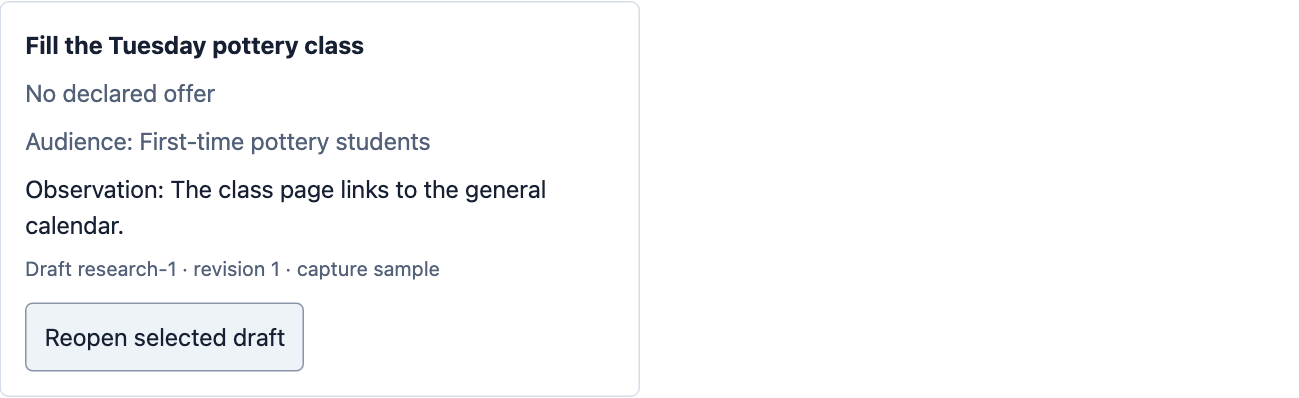
GrowthOS shows which work was prepared, which evidence is incomplete and whether any outside action happened. In this run the draft was saved, spend was never authorized and no booking was observed.

GrowthOS is where the operator prepares campaign research. Prism serves publishers looking at audience, ad inventory and revenue. The native GrowthOS view inside Prism is still under review.
Explore Prism for publishersLive ad activation, spend authorization and matching campaign activity to paid bookings still need verification. Today’s walkthrough covers evidence, draft preparation and review.
Ask for a guided walkthrough